
Is there a Recuva for Mac?
Updated 13 October 2026
No. Recuva, the free undelete tool from Piriform, the makers of CCleaner, only runs on Windows. There has never been an official Recuva for Mac, so any Mac download using that name is something else. The good news is that there are free tools that do the same job on a Mac, and one of them works much like Recuva, reading the deleted file records first and then searching deeper.
Download Found Again freeRecuva for Mac alternatives
| Tool | Cost | What it's like |
|---|---|---|
| Found Again | Free, no limits | A Mac app. Reads FAT32 and exFAT file records so deleted files come back with their names, then deep-scans for photos, videos, audio and documents. Thumbnails as it scans. |
| PhotoRec and TestDisk | Free, open source | Run in Terminal. PhotoRec finds hundreds of file types by content but gives them generic names. TestDisk can undelete files with their names. Our guide explains both. |
| Lexar Recovery Tool | Free | From the memory card maker, and works with other brands' cards. You give your name and email to get the download. |
| Disk Drill, EaseUS, Stellar and others | Paid | Free scan and preview, then pay to save files beyond a small limit. See our comparison. |
What will feel familiar if you've used Recuva
Recuva's quick scan reads a drive's file records to list deleted files with their names, and its deep scan searches for files by their contents. Found Again works the same way on a Mac.
- Pass one reads the FAT32 and exFAT file records used by memory cards and most USB sticks. Deleted files usually come back with their original names, folders and dates, and it's very fast.
- Pass two, the deep scan, reads every sector and recognizes files by their contents. That finds photos and videos after a format, when the names are gone. It names photos by the date they were taken.
- Condition labels. Like Recuva's file states, Found Again tells you when a file is Partial (may open with missing sections) or Damaged (the start was overwritten, so it probably won't open).
Like Recuva, Found Again reads NTFS file records, which Windows drives use, so files deleted on a Windows PC usually come back with their names. It reads FAT32 and exFAT records too, which most memory cards and USB sticks use.
How to undelete files on a Mac with Found Again
- Stop using the card or drive the files were on.
- Connect it to your Mac. Use a card reader for camera cards.
- Open Found Again, choose the card or drive, and click Scan. Enter your Mac's password when macOS asks. macOS opens the disk read-only.
- Browse the results as they appear. Filter by Photos, RAW, Videos, Audio or Documents.
- Select what you want and click Recover. Save to a folder on your Mac, not the disk you're recovering.
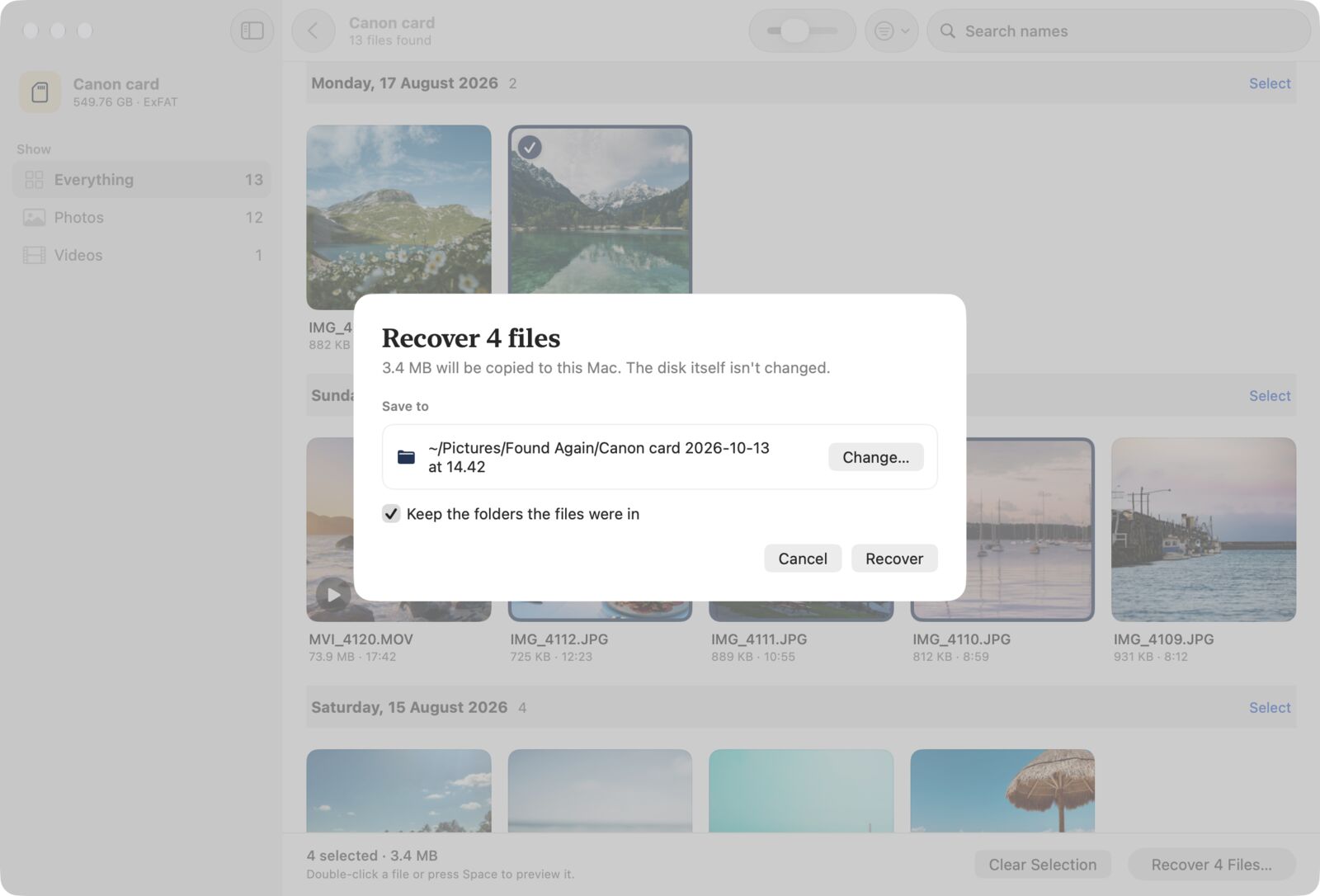
There's a walkthrough with screenshots in How to use Found Again. For more on memory cards, see our guide to recovering deleted photos from an SD card. For USB sticks and external hard drives, see recovering files from an external drive.
Files deleted from the Mac itself
On Windows, people often run Recuva on the PC's own drive. On a modern Mac that doesn't work. The internal SSD erases deleted data automatically and is always encrypted, so no app can reliably scan it for deleted files, and Found Again doesn't try. Check the Trash, Photos › Recently Deleted, iCloud.com and Time Machine instead. Our guide to deleted files on a Mac's SSD has the steps for each.
Can you run Recuva on a Mac anyway?
If you have a Windows PC handy, you can put the card in the PC and run Recuva there. If you already run Windows in a virtual machine on your Mac, you could connect the card reader to Windows and try Recuva inside it, but it's a lot of setup for a one-off job, and it's not something we've tested. For most people, a Mac app is simpler.
Questions
Is Recuva available for Mac?
No. Recuva is Windows only, and Piriform has never released a Mac version. Treat any download called "Recuva for Mac" with suspicion.
Does CCleaner for Mac include Recuva?
No. CCleaner has a Mac version, but it's a cleanup tool. Recuva isn't part of it.
What's the closest free equivalent to Recuva on a Mac?
Found Again works in a similar way, reading deleted file records first and then scanning deeper, and it's free with no limits. If you're comfortable in Terminal, TestDisk and PhotoRec are free too.
Can I recover files from a Windows-formatted USB stick on a Mac?
Yes. Most USB sticks use exFAT or FAT32, and some from Windows use NTFS. Found Again reads all three, so deleted files usually come back with their original names. The deep scan then finds photos, videos, audio and documents by their contents.