
A free alternative to Disk Drill for Mac
Updated 13 October 2026
Disk Drill is a capable recovery app, but on a Mac its free version only scans and previews. To save any files, you need a paid plan, which costs $89 a year or $149 for a lifetime license as of October 2026. If you're looking for a free alternative to Disk Drill that actually saves your files, Found Again recovers deleted photos, videos and documents from memory cards, USB sticks and external drives with no limits. Below is a fair look at it alongside the other options.
Download Found Again freeWhat "free" usually means in Mac recovery apps
Most recovery apps for Mac follow the same pattern. The download and the scan are free, and the app shows you what it found. Saving the files is where the limit applies. Depending on the app, the free version saves nothing at all, a set number of megabytes, or a set number of files. A few hundred megabytes covers a handful of RAW photos, or less than a minute of 4K video from many cameras.
That's a reasonable way to sell software, and the free scan does tell you whether your files are there. It's worth knowing the limit before you spend an hour scanning, though.
Disk Drill free alternatives compared
Prices and free limits for the Mac versions, taken from each company's website in October 2026. They change often, so check before you buy.
| App | Price | What the free version does on Mac | Notes |
|---|---|---|---|
| Found Again | Free | Everything, with no limits | Mac app for memory cards, USB sticks and external drives. Optional tip after a successful recovery. |
| Disk Drill | $89 a year or $149 lifetime | Scans and previews, recovers nothing | Mac app with a wide feature set. |
| EaseUS Data Recovery Wizard | $89.95 | Recovers up to 500 MB | The free Mac edition doesn't support SD cards. |
| Stellar Photo Recovery | £49.99 to £99.99 | Recovers 10 files | Focused on photos and video. |
| Wondershare Recoverit | $89.99 a year | Recovers up to 100 MB | |
| iBoysoft Data Recovery | $99.95 a year | Recovers up to 1 GB | |
| PhotoRec | Free, open source | Everything, with no limits | Runs in Terminal. The current stable Mac download is an Intel build. Files get generic names like f1234567.jpg, with no preview. |
| Lexar Recovery Tool | Free | Free to use, no license needed | You give your name and email to get the download. Works with other brands' cards too. |
| Recuva | Free | No Mac version | Windows only. See Recuva for Mac. |
What you get with Found Again
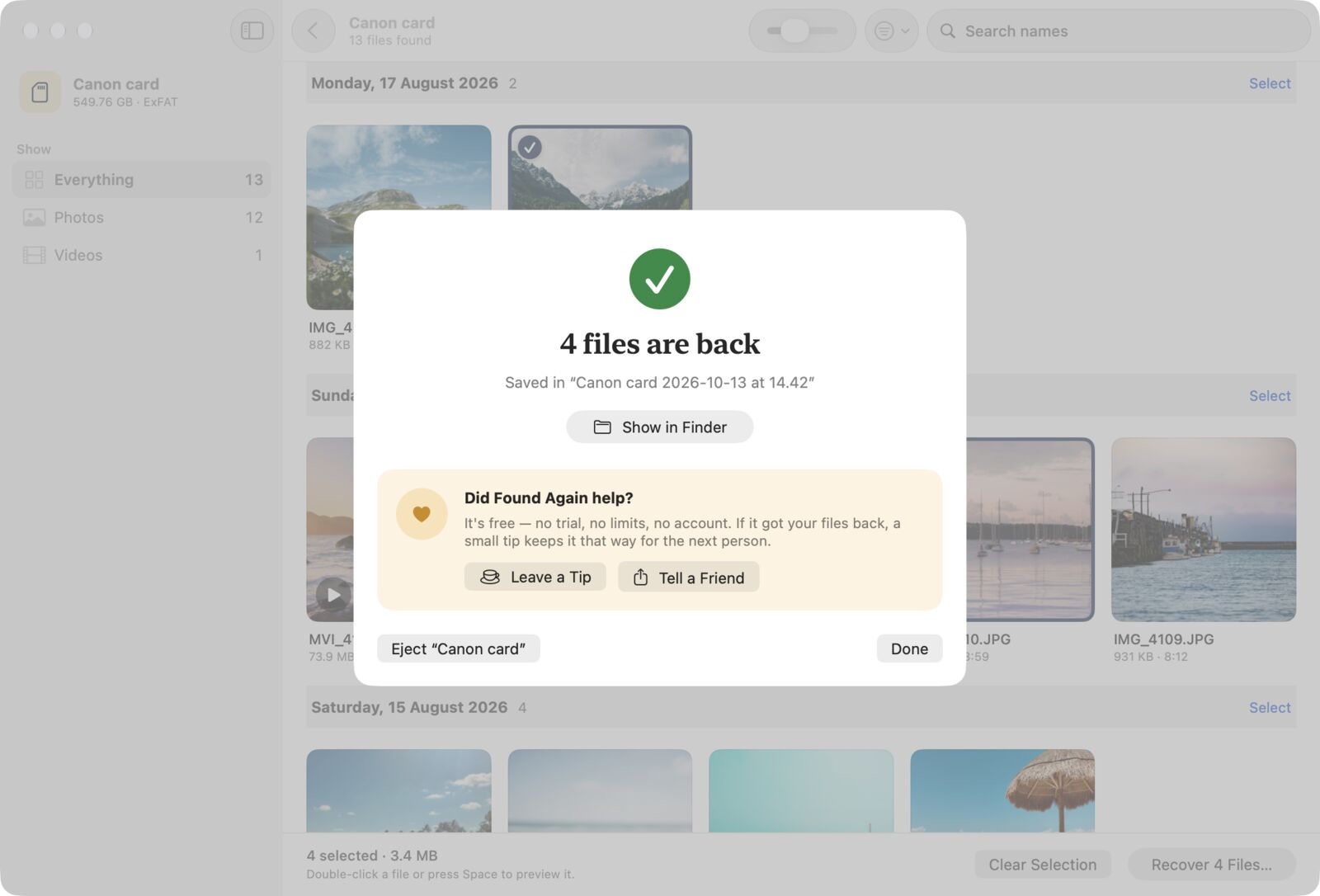
- No limits. Recover every file it finds. No trial, no account, no email address.
- Original names first. It reads the FAT32 and exFAT file records that memory cards and most USB sticks use, so deleted files usually come back with their names, folders and dates.
- A deep scan for formatted cards. It reads every sector and recognizes photos (including RAW from all major camera brands), videos, audio and documents by their contents. Photos found this way are named by the date they were taken.
- Live results. Thumbnails, including video frames, appear as they're found, grouped by day. You can recover at any time.
- Read-only. macOS opens the disk read-only, the card is unmounted while scanning, and recovered files can't be saved back onto it.
- Private. No tracking, and the app never connects to the internet.
What the paid tools do that Found Again doesn't
To be fair to them, paid recovery apps cover things Found Again deliberately doesn't.
- Repairing damaged files. Several paid tools offer photo or video repair. Found Again recovers files as they are on the disk and marks the ones that are Partial or Damaged.
- File names on Mac-formatted drives. Found Again reads file records on FAT32, exFAT and NTFS. On APFS and Mac OS Extended drives it relies on its deep scan, so files come back without their names. Some paid tools can read more of those file systems' records.
- Windows versions and support teams. Found Again is Mac only, made by a small company.
- Scanning your Mac's internal drive. Some paid tools offer this, after you lower your Mac's security settings. Found Again doesn't, because TRIM and encryption mean there's rarely anything left to find. Here's where to look instead.
How to choose
- Photos or videos deleted from a camera card or USB stick: start with Found Again. If it finds your files, you're done, for free.
- A rare file type: try PhotoRec, which recognizes far more formats. Our PhotoRec on Mac guide walks through it.
- Files on an APFS or Mac OS Extended drive where names matter, or damaged videos that need repair: a paid tool may be worth it. Run its free scan first and check the previews.
Before you pay for any recovery app
- Run the free scan and check that the files you need appear, with previews that look right.
- Check the free version handles your device. EaseUS's free Mac edition, for example, doesn't support SD cards.
- Read whether the price is a subscription that renews automatically, and what the refund policy says.
- Whatever you use, recover to a different disk from the one you're recovering, and stop using the card or drive until you're done.
Questions
Is Disk Drill free on Mac?
The download and scan are free. As of October 2026, the free Mac version previews files but doesn't recover any. Saving files needs a paid plan, $89 a year or $149 lifetime.
Is Found Again really free, with no limit?
Yes. There's no file or size limit, no trial and no account. After a successful recovery, it offers an optional tip. That's the only time it asks.
Can I use Disk Drill's scan to see if my files are there, then recover them with Found Again?
You can, but there's no need. Found Again shows thumbnails of what it finds while it scans, and you can recover straight away. Whichever apps you use, don't save anything to the card in between.
Does Found Again recover as much as Disk Drill?
For deleted photos, videos and documents on FAT32 and exFAT memory cards and USB sticks, Found Again uses the same two approaches, reading the file records and then searching the whole disk by content. Disk Drill supports more file systems and file types and offers extra tools. Try Found Again first. If your files appear, there's nothing to pay.